docs · 05
reminders
A reminder is something that comes due on a day: a bill, a refill, a check-up. It can happen once or keep coming back.
a new reminder
- Press new reminder, give it a name and a category: shopping, bill, health or other.
- Under happens, pick once or repeats.
- Set the day it is due on — for a repeating one, the day it is first due on.
- For a repeating one, set every (days) and what it is counted from.
- Press add reminder.
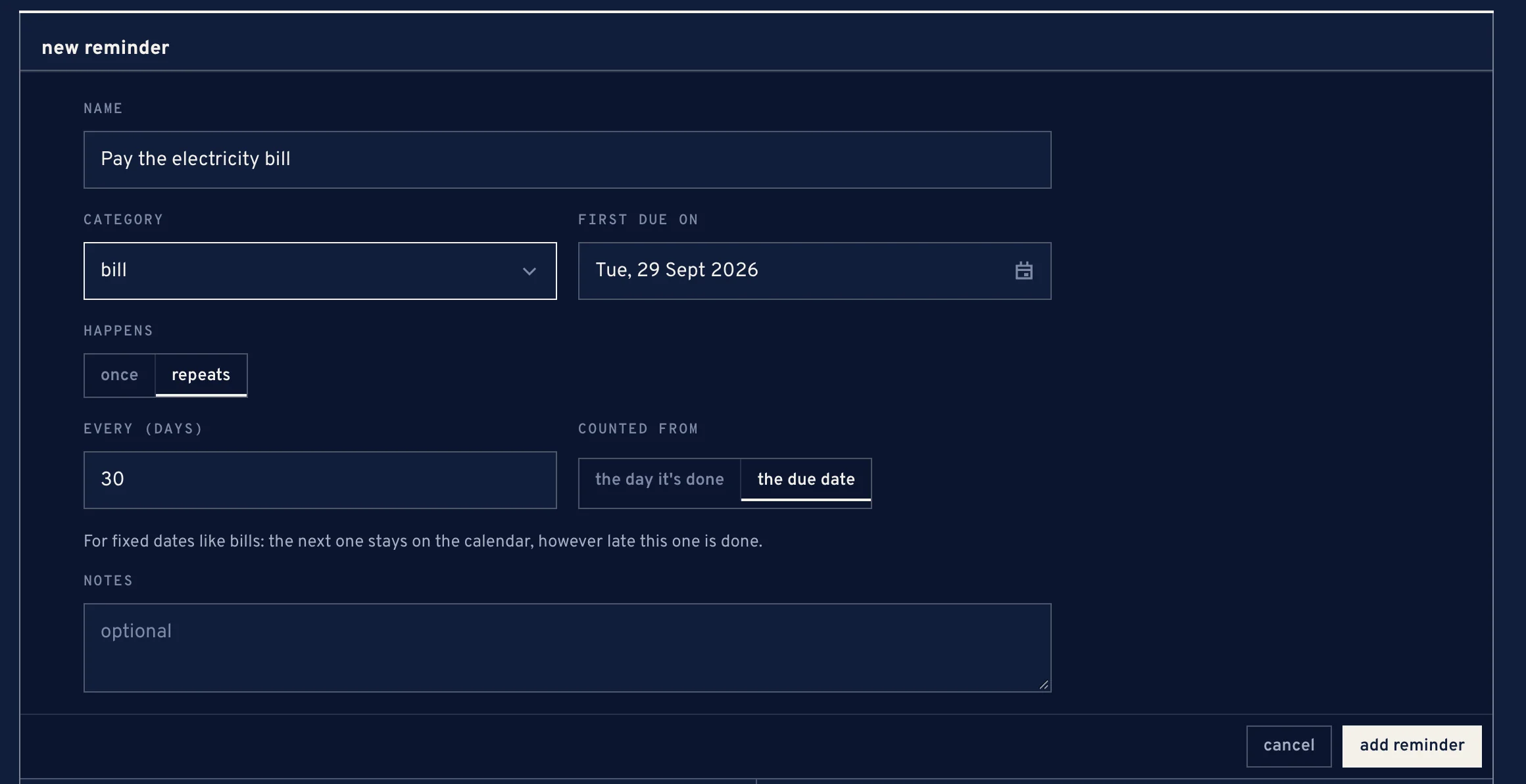
The new reminder form, repeating every 30 days from the due date
counted from what?
- the day it's done
- for things that run out. The next one comes n days after you actually do it — refill the water filter every 60 days.
- the due date
- for fixed dates like bills. The next one stays on the calendar, however late this one is done.
the piles
- due
- due today or late. A late one says how many days.
- coming up
- due later.
- snoozed
- put off until a set time.
- finished lately
- done in the last while.
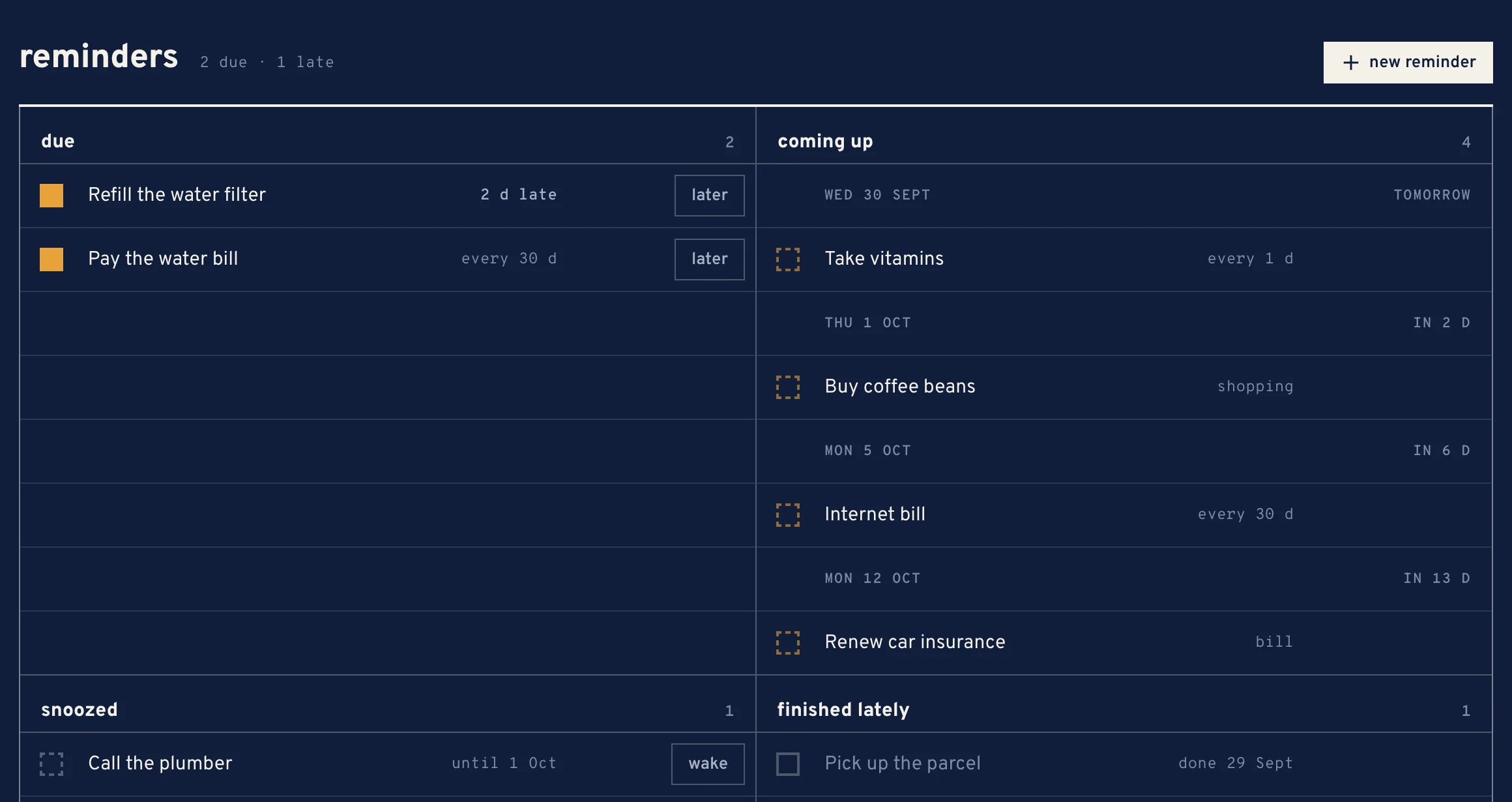
finishing, snoozing, skipping
- The box finishes a due reminder. A once reminder is then done; a repeating one moves on to its next date.
- later snoozes it for 3 hours, until tomorrow, 3 days or a week, or skips this cycle of a repeating one.
- wake brings a snoozed reminder back to due before its time.
A reminder that is not due yet cannot be finished early.
done cycles
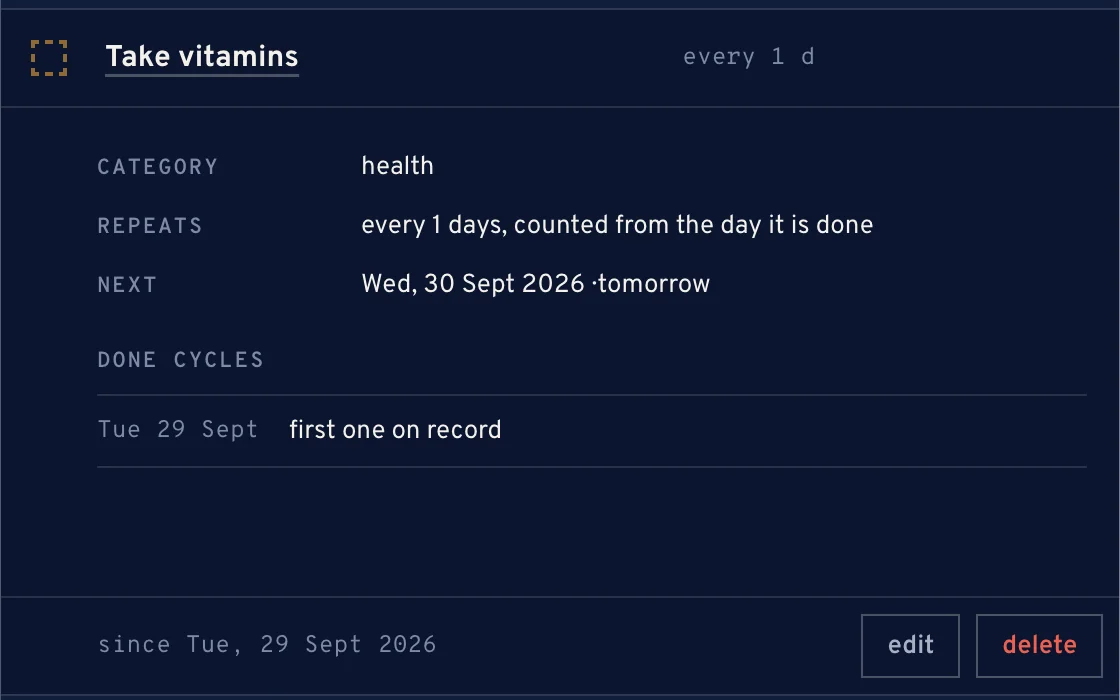
Open a reminder to see its done cycles: every time it was finished, and how many days came between one and the next. Skipped cycles leave no line.