docs · 04
tasks
Tasks sit on a board whose columns are stages you name yourself. A task can have a date and a time, or none at all.
a new task
- Press new task and give it a name.
- Pick a day under due on, or leave it as no date.
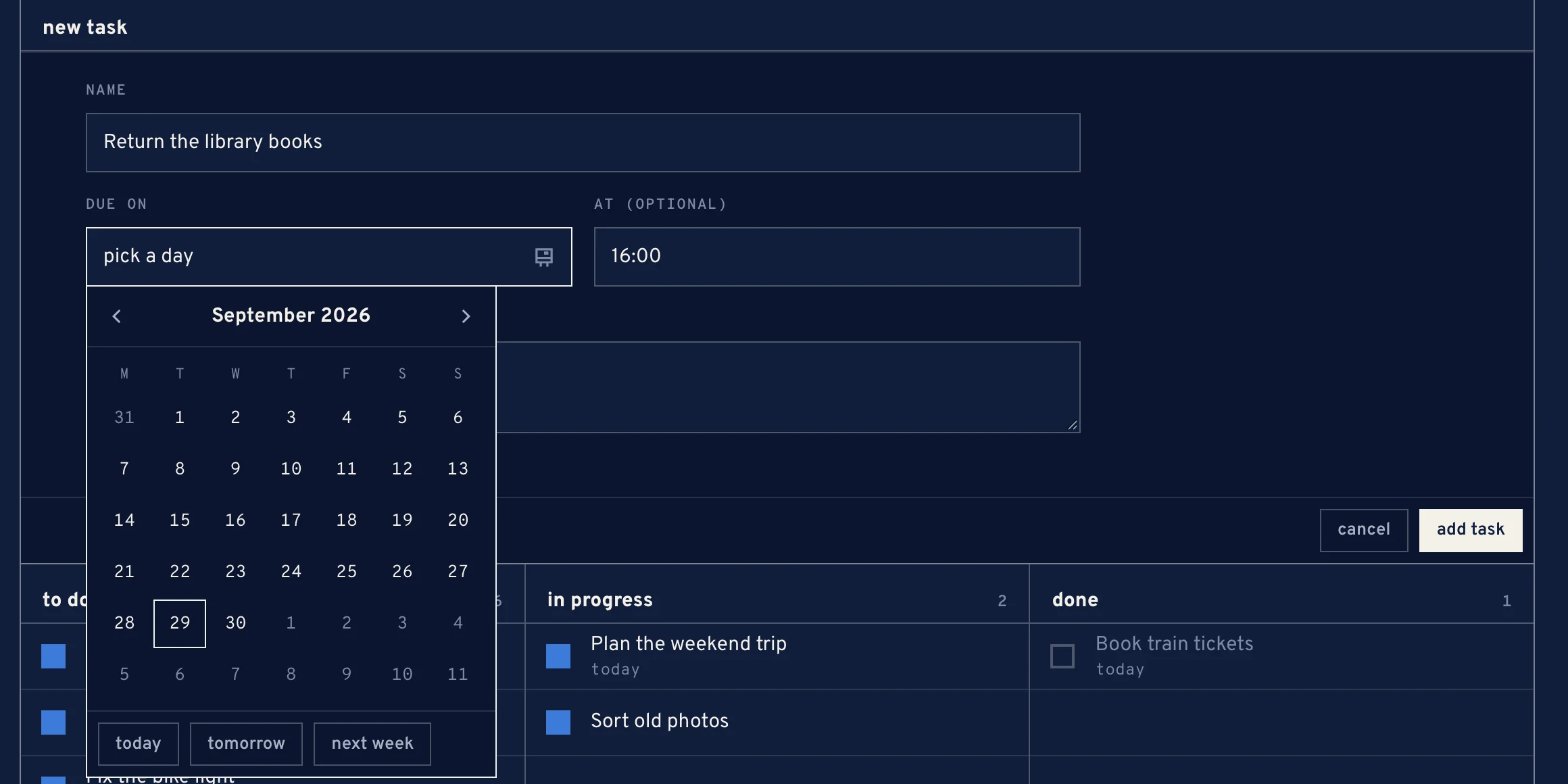
Picking the due day - Add a time under at (optional), written as HH:MM, and notes if you like.
- Press add task. It lands at the foot of the first open stage.
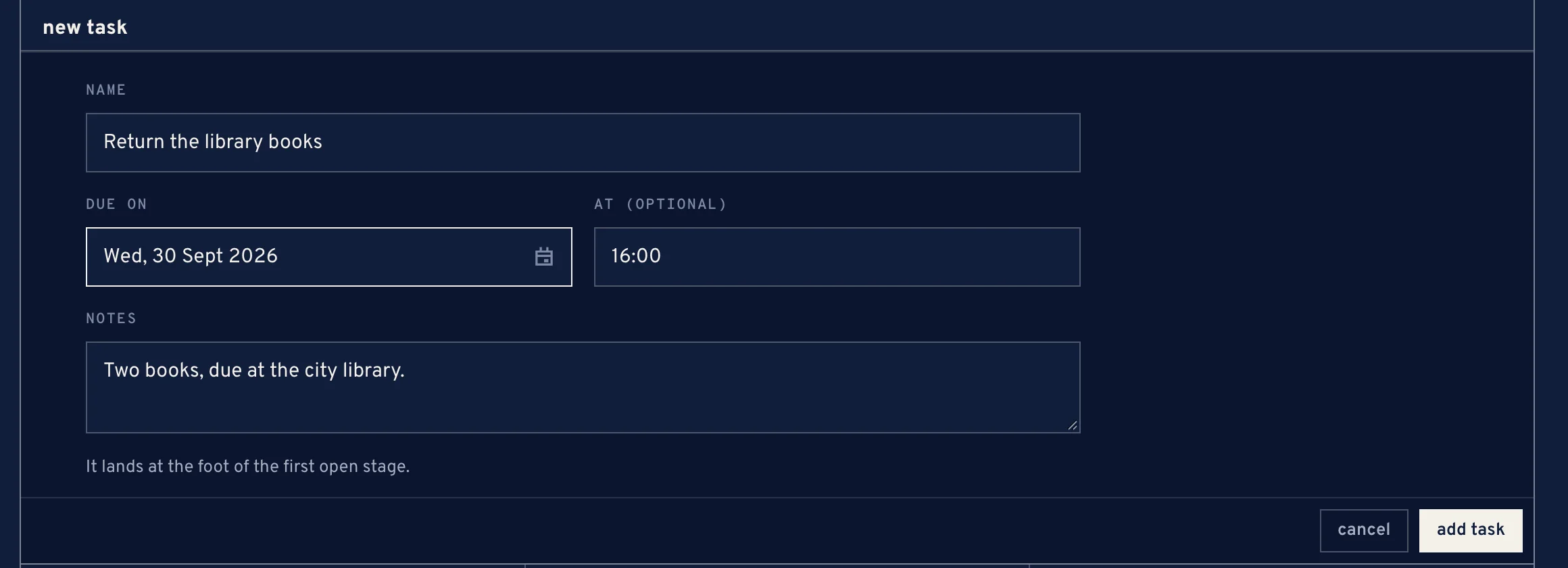
The new task form, filled in
the board
Each stage is one column, left to right. The box on a card finishes it into the first stage marked as done; pressing it again reopens it.
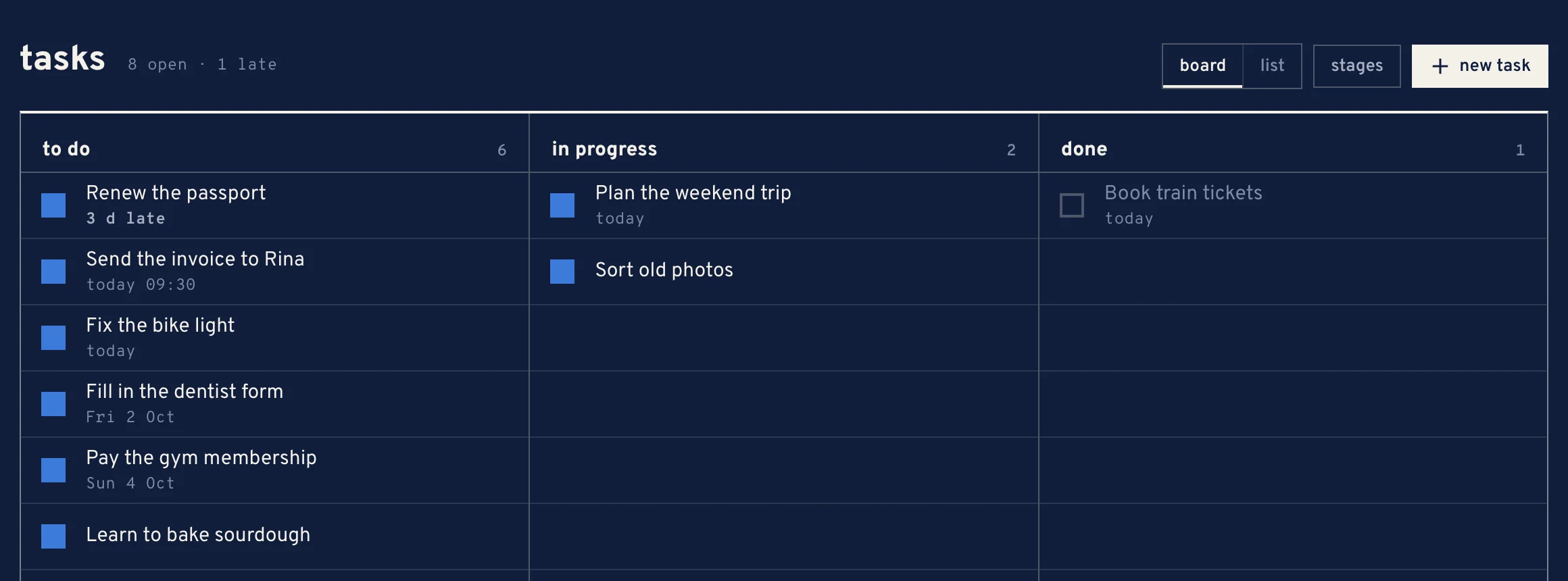
- on a laptop
- drag a card to another column, or up and down within one. Opening the card works too.
- on a phone
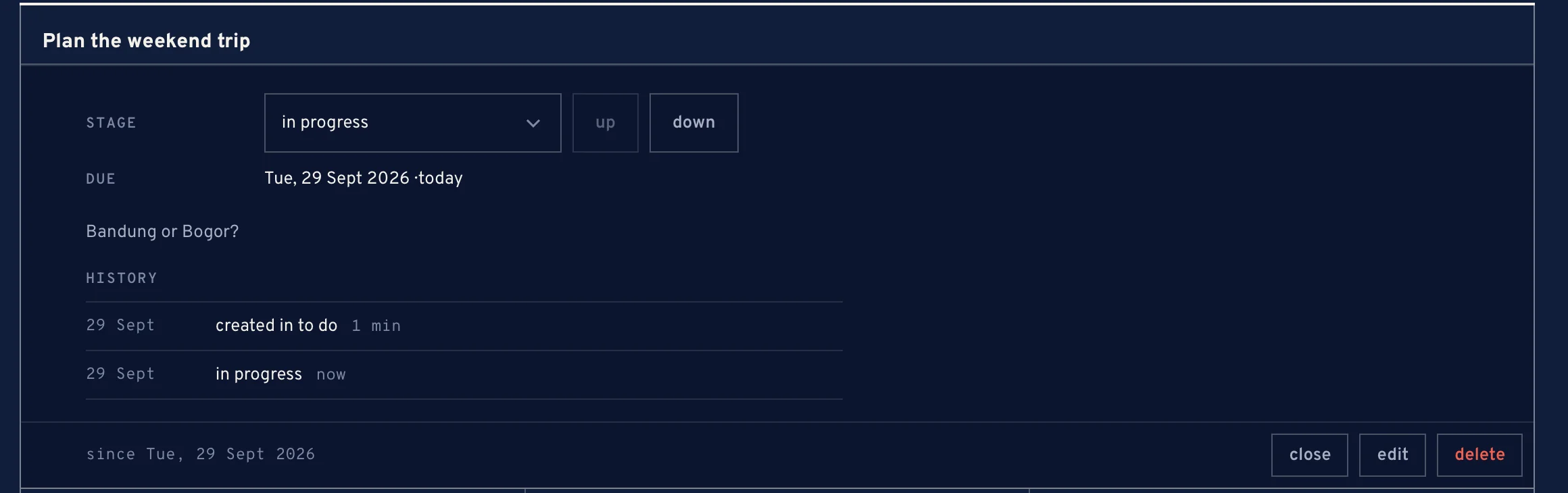
- open the card, pick its stage, or move it up and down.
A done column shows what finished today; the rest collapse into +n finished before today.
the list view
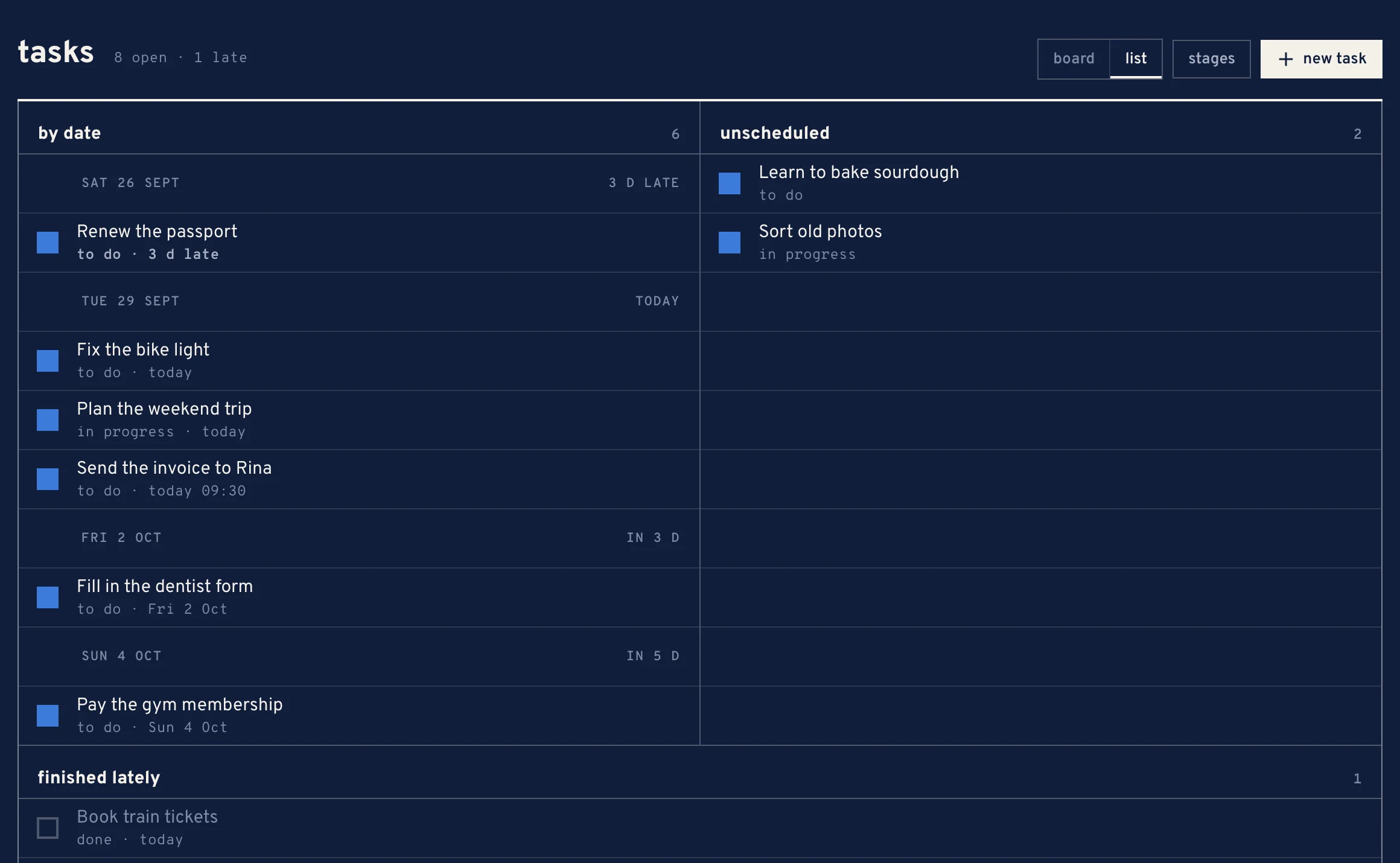
Switch View to list to read tasks by date instead of by stage. They fall into by date, unscheduled and finished lately, and each card says which stage it sits in.
stages
The board starts with to do, in progress and done. Under stages you can rename them, reorder them, add new ones and mark each one as open or done.
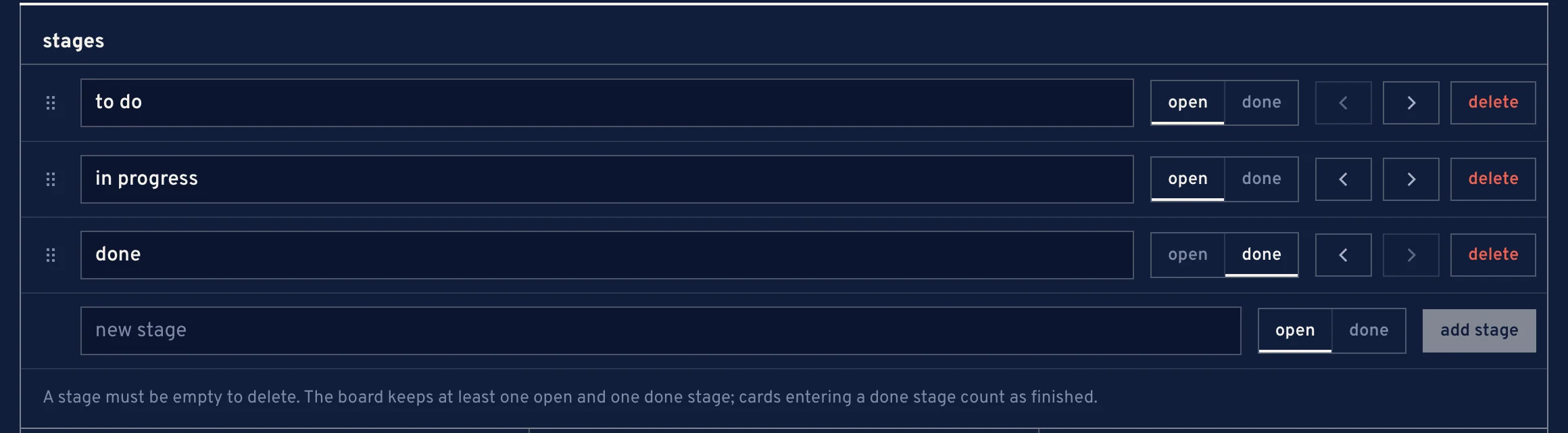
- A card that enters a done stage counts as finished.
- A stage must be empty before it can be deleted.
- The board always keeps at least one open stage and one done stage.
a task's history
Open a task to see its history: the stage it was created in, each move after that with how long it stayed, and each time it was reopened. edit and delete are there too.